

Create a new blank report
What's the Google Analytics report?
The Google Analytics Report displays, incorporates and visualises the main analysis data in a single panel to make the relevant parties easier to understand and make decisions. Using data from Google Analytics a website analysis tool to measure and track the traffic to your website, analysis reports help you understand how many people are accessing your website, where they spend most of their time and how quickly they leave your website.
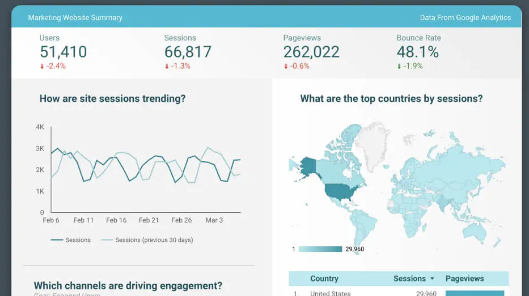
Why do you need analysis reports?
You might ask: What does it mean to build the information board if the data is already available in Google Analytics?
Good question.
And you're right to say that the data you're adding to your analysis report is probably technically available in Google Analytics. But finding the right data, combining that data with other relevant data and defining trends is not always easy or clear. In addition, if you work with a group, other related parties may not understand how to read and understand data from inside Google Analytics accurately.
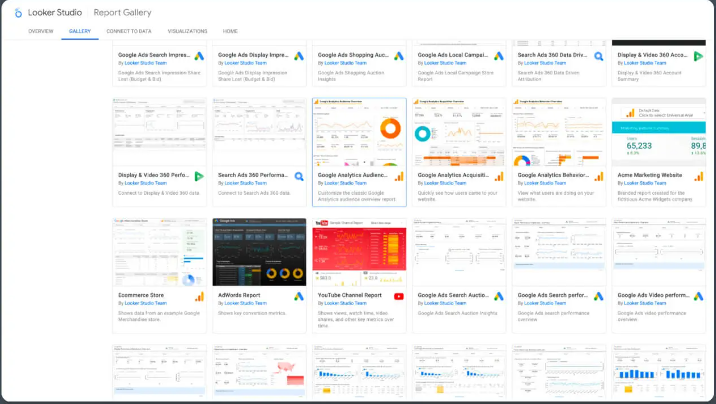
As soon as you click on my own data, you will see a new screen asking you to grant Google Analytics access to Looker Studio.
Ways you can customize Looker Studio's analysis report:
- Change layout or design by moving the chart from one location to another
- Delete data unrelated to your use
- Add new chart by clicking Add Chart
- Add another data page by clicking Add Page
- Connect more analysis tools by clicking Add Data to display or combining data from multiple data sources examples: Google Search Carvette, Google Ads, Google Page
- Edit the current chart and report to change the display data and how the data appears
- Sets the date range for each chart to create static view mode or standard point

